
The easiest way
to get SOC 2.
Ryan, our co-founder and CEO, does SOC 2 with the MCP while he tries to break a wall. That's the whole idea: compliance runs in the background.
What you'll see
Six steps, two minutes.
- 010:02›
Set it and leave it
The point, in Ryan's words: compliance should be so brainless you can leave it running in the background. He proves it by trying to break a wall while it runs.
- 020:10›
Four questions
Your website, Type I or Type II and how long a preparation window you want, your company's legal name, and who is responsible for security. The answers feed your policies.
- 030:33›
The journey
One guided view through every control SOC 2 asks for. Some connect straight to the system that proves them, like Google Workspace.
- 040:49›
Install the MCP
Generate a key, run one command in the terminal, open Claude Code. It can reach your controls right away.
- 051:12›
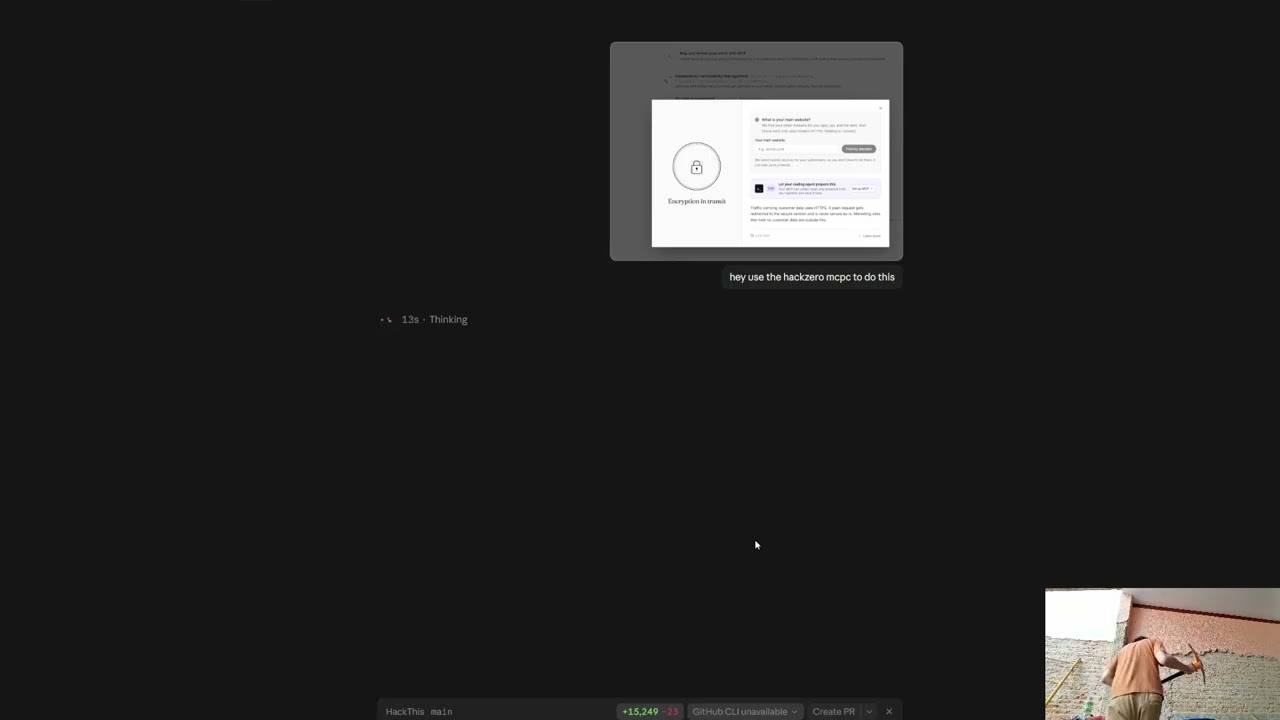
Claude writes a policy
A screenshot of the encryption in transit control and one sentence to Claude. It does the control by itself while Ryan goes and does something else.
- 061:53›
Everything else SOC 2 needs
Device management, pentesting, the right independent auditor, and help with the system description, the third part of your SOC 2 report.
Start your SOC 2.
$299 a month, plus the independent CPA audit. Your agent does the work.
Transcript
Full transcript.
Auto-captions, lightly cleaned. Recorded during the rename, so the product is still called HackZero in two places.
Show transcript
0:02Hey guys. Today I'm going to show you how to be SOC 2 compliant while I break the wall behind me, because the point of Compliance Everywhere is to be so brainless that you can just leave it running in the background.
0:10So when you first begin, you have this little questionnaire to answer. The first question is what your company website is. Then whether you want Type I or Type II, and how many months of preparation window you want. Let's just leave it like this. And finally, what your company's legal name is and who's responsible for security. This is important for the policies.
0:33Once you begin, you have this little journey view, which takes you through all of the controls you have to answer to be SOC 2 compliant. Some of them, just like Vanta, have connectors. For example, the Google Workspace one: once you do the steps, you can connect it pretty easily.
0:49Then there are other controls where HackZero really shines, using the MCP. So let's install it. Let's go here, generate a key, and go to the terminal. Once you install it, it should be pretty quick. You can then open Claude Code, and it should have access to the MCP right away.
1:12Let's do a policy. For example, this one, the encryption in transit policy. We can take a screenshot, give it to Claude and say, "Hey, use the HackZero MCP to do this." And then we can go and do other stuff, like get a beer, or break a wall, for example.
1:35That didn't work. As you can see, I suck at construction. So let's get back to SOC 2.
1:40Everything that we did, we didn't have to do anything. Claude just did this control by itself. And just like this control, we can do the other controls as well. It's pretty intuitive, and everything is super quick.
1:53Compliance Everywhere also has everything you need to be SOC 2 compliant. We also provide the MDM and the pentesting, and we connect you to the right auditors so you can do this super quickly. We also help you generate the system description, which is the third part of the SOC 2 report you will get. It's all pretty intuitive. You don't have to do much. Claude can just do it for you.
2:13That's how compliance should be. I hope you guys try it out.
Frequently asked
Questions.
01What do I need to get started?
Four answers: your company website, whether you want a Type I or Type II report and how long a preparation window you want, your company's legal name, and who is responsible for security. Those answers feed your policies.
02How does Claude do the work?
You generate a key in the app and install the MCP server with one command in your terminal. Claude Code, or any MCP client, can then work on your controls directly. In the demo, Claude writes the encryption in transit policy from a screenshot of the control and one sentence.
03What else comes with it?
Device management for every laptop, pentesting, an introduction to the right independent auditor, and help writing the system description, the third section of your SOC 2 report.
04Who signs the SOC 2 report?
An independent, licensed US CPA. We get you ready and keep the evidence; the auditor examines your controls and signs the report.
Looking for the pentest? Watch it run live on Ray Fernando's stream›